Visualization
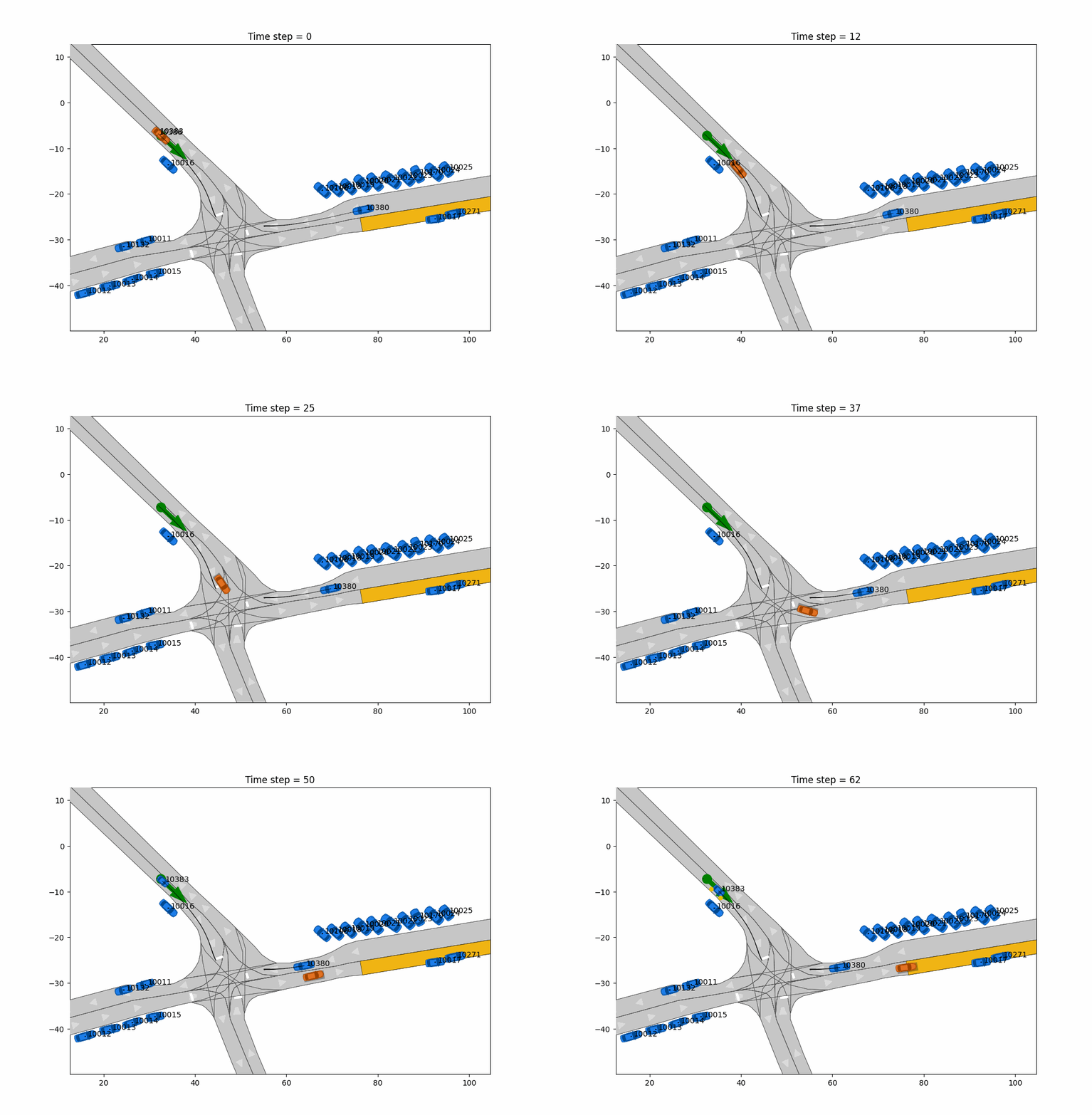
If you want to visualize the driven trajectory, you can use dedicated functions for that. We support creating .gif videos from visualized scenarios.
Scenario and driven trajectory
The driven (noise and disturbed) trajectory is shown as an orange car. The originally planned trajectory without noise
and disturbance is shown as a black rectangle.
from commonroad_control.util.visualization.visualize_trajectories import (
    visualize_trajectories,
    make_gif
)

visualize_trajectories(
    scenario=scenario,
    planning_problem=planning_problem,
    planner_trajectory=<PLANNERTRAJECTORY>,
    controller_trajectory=<CONTROLLERTRAJECTORY>,
    save_path="PATH/TO/FOLDER",
    save_img=True
)

make_gif(
    path_to_img_dir="PATH/TO/FOLDER"",
    scenario_name="SCENARIO_NAME",
    num_imgs=len(<PLANNERTRAJECTORY>.values())
)
If you want to display the images instead of saving them, use save_img=false. Note that you cannot create a .gif
without saving the images of each time step then.
Controller output
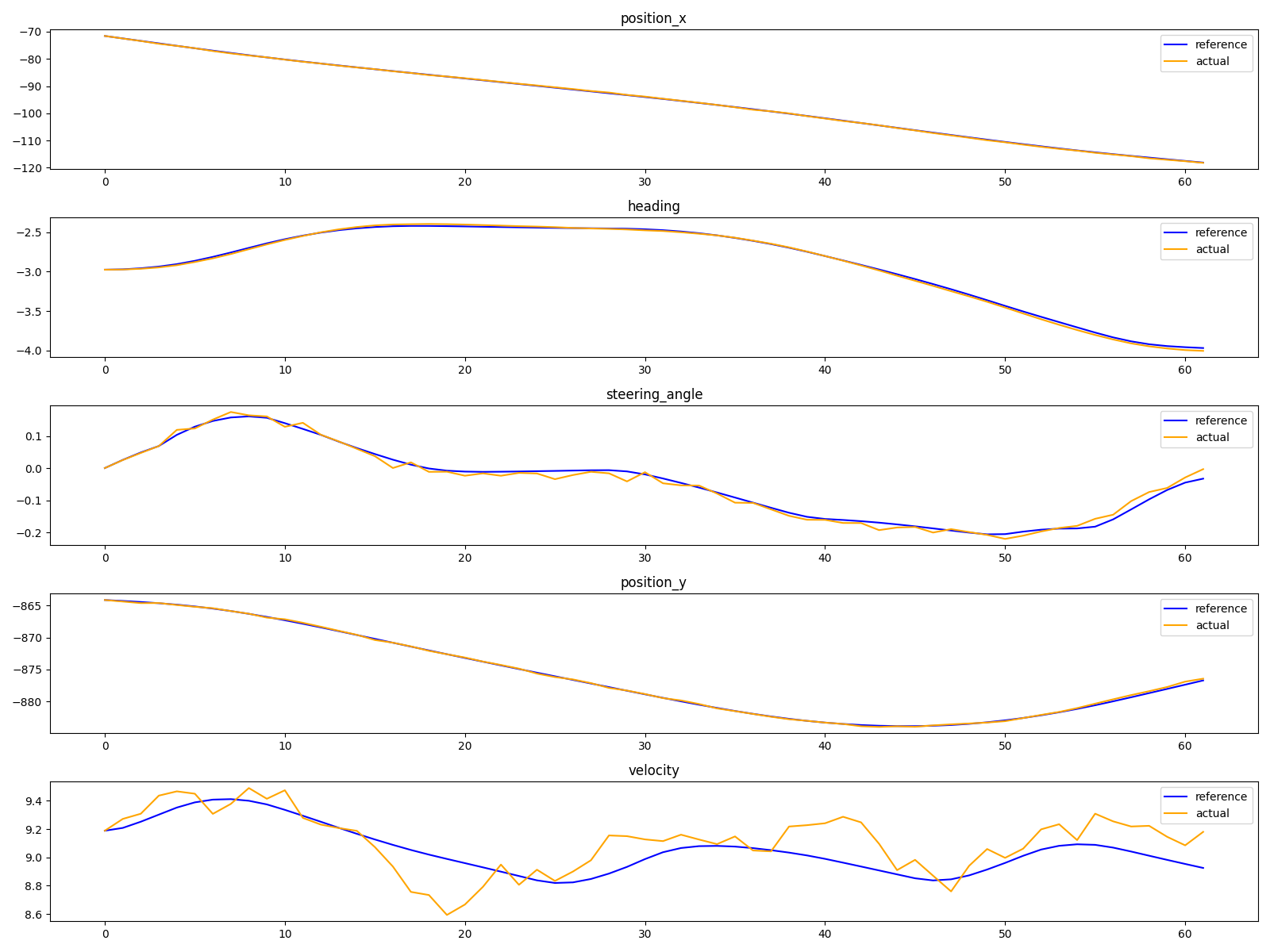
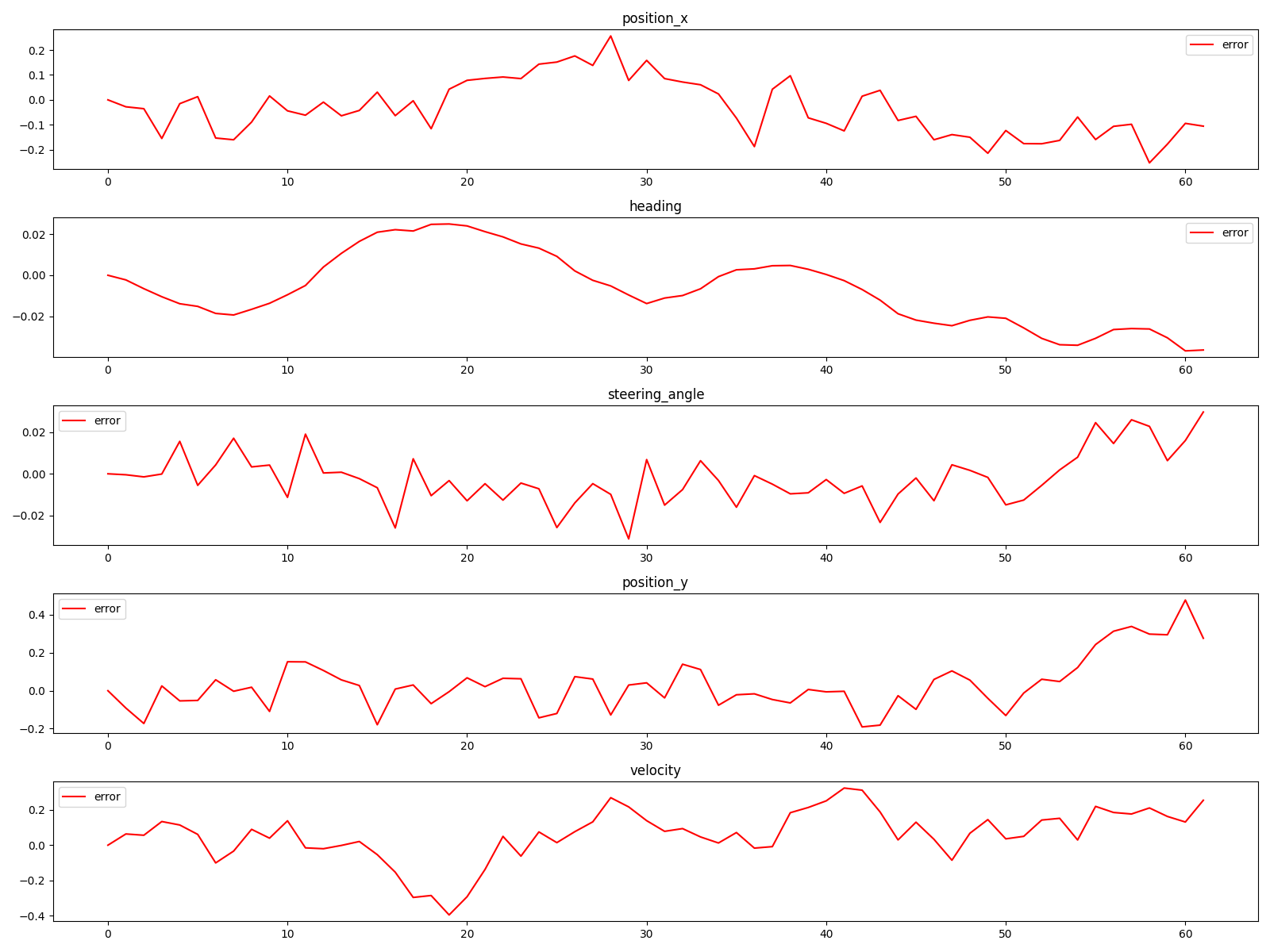
You can also visualize relevant states and errors for control.
from commonroad_control.util.visualization.visualize_control_state import (
    visualize_reference_vs_actual_states
)

visualize_reference_vs_actual_states(
    reference_trajectory=<PLANNERTRAJECTORY>,
    actual_trajectory=<CONTROLLERTRAJECTORY>,
    time_steps=<LISTOFTIMESTEPS>,
    save_img=true,
    save_path="PATH/TO/CONTROL/FOLDER"
)
If you want to display the images instead of saving them, use save_img=false.